Showing posts with label Browser. Show all posts

Sunday, August 16, 2009

Google Preview (GP) | Solution for Relevant Search with Thumbnail


Considering you are using Search Engines like Google, Yahoo, AltVista, and Bing etc daily, as search engines are de facto today. If you are searching any topic or any website, sometimes search engine indexes some irrelevant sites (or made for SEO). This wastes your valuable time and internet bandwidth.
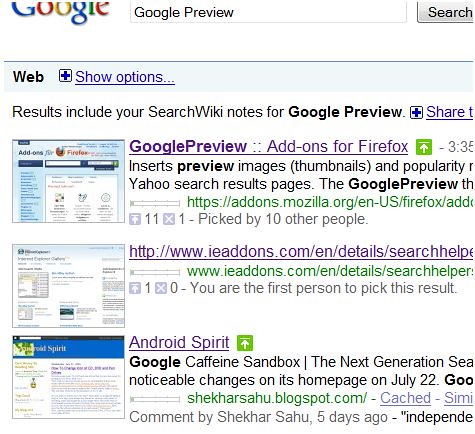
The solution is Google Preview (GP). Google Preview (GP) is available as an add on for Firefox and Internet Explorer both. After the installation whenever you perform a search in any search engine (Google search, Yahoo Search etc.) Google Preview will show the preview of the web-pages adjacent to the link. It also shows the page rank under the link of the search results. With GP you can prevent to visit the unrelevent, fake and phishing site. The rank of the site search is very useful to visit only to the popular and reputed sites.
Firefox users download Google Preview from here
And Internet Explorer download it from here.

Also Google launched a new service called Google Voice.
Visit Google's official blog http://googleblog.blogspot.com
Shekhar Sahu
White Hat Android

Saturday, August 8, 2009

Google Chrome | Feel it in your own browser

Google Chrome is said to be the fastest browser. It is available for free. But, very less number of people uses Google Chrome. Internet Explorer is the most popular browser in the wold. Because, it comes bundled with Windows. Windows 7 will not provide IE in Europe. 50% people use IE.

After this Mozilla Firefox and Opera are used. Opera Mini is the apple of mobile net users’ eyes.

If I ask you to change your browser and switch to Google Chrome form your favorite. Then you will not be ready to do it. Because you have your password, bookmark and favorite site links in your browser.

Then Google toolbar will be a great idea. Download fully customizable Google toolbar for Firefox & Internet Explorer both.

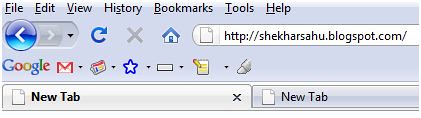
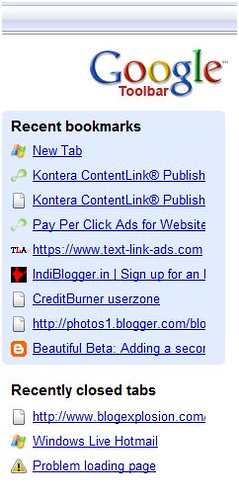
After the installation it places a toolbar under the address bar of your browser. The toolbar has so many useful buttons. The page rank icon shows the rank of the page over the internet. The Bookmark button lets you choose your bookmarks and saves to your Google account. This has an advantage that you can retrieve your bookmarks any time, anywhere. No need to type the URLs weather you are at home or at office anymore. It also lists recent closed pages.

Whenever you open a new tab in your browser. Instead of opening a blank page it opens Google Chrome type page. Which shows the tile view of the most visited web-pages same as Google crome.

After your work is over, log out form Google account.

Download Google toolbar now from http://toolbar.google.com

Home

Member